Jam.py documentation
Code editor
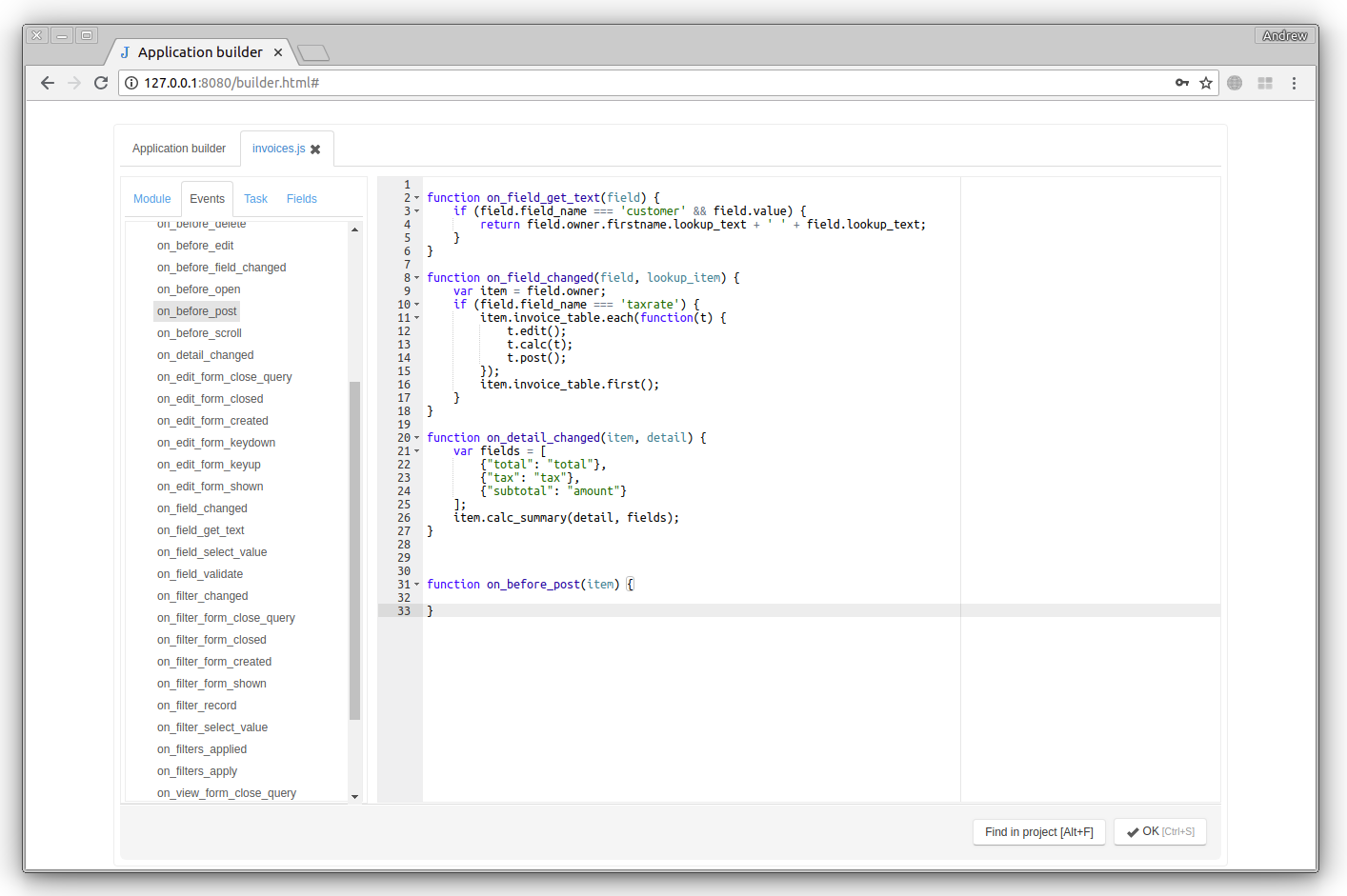
For every item of the project task tree there are two buttons in the upper-right corner of the Application builder : Client module and Server module.

By clicking on these buttons the Code Editor for the client or server module of the item will be opened. (See Working with modules)
To the left of the Editor there is an information pane with four tabs:
- Module - this tab displays all events and functions defined in the editor, double-click on one of them to move the cursor to the proper function.
- Events - displays all the published event of the item, double-click to add a wrapper for the event at the current cursor position (see the on_before_post event on the figure above).
- Task - the task tree, double-click on the node to enter the item_name at the current cursor position.
- Fields - the field list of the current item, double-click on one of the fields to enter the field_name at the current cursor position.
To save changes click the OK button or press Ctrl-S.
To search the project modules, click the Find in project button or press Alt-F to display the Find inproject Dialog
Jam.py uses the ace editor editor to implement its code editor.
Hear are keyboard shortcuts for the ace editor.